Add or Remove Curtain Track Gliders
Need to add or remove curtain gliders from one of our tracks? The method depends on which track you have.
Choose your track below and I’ll show you how to do it. Each guide explains how to access the gliders and make any adjustments you need.
Important: Always Work from the Outside Ends
When adding or removing gliders, always work from the outside ends of your curtain track, not from the middle where the curtains meet.
The way you access the gliders varies depending on the track profile, so follow the guide for your particular track.
Choose the Guide That Matches Your Track
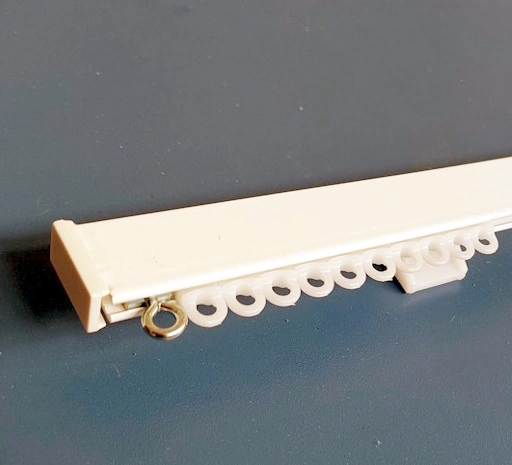
Regular Curtain Track Gliders
Find out how to add or remove gliders from our Regular hand-drawn curtain tracks. Useful if you’ve changed your curtains or need to adjust the number of gliders.

Corded Curtain Track Gliders
Step-by-step instructions for adding or removing gliders from our Corded curtain tracks, including how to access the gliders without disturbing the operating mechanism.

Slimline & Modern Curtain Track Gliders
Our Slimline and Modern rounded-face tracks use the same gliders, but their end caps are secured differently.
The Slimline end cap is secured with a twist glider, while the Modern end cap uses a small screw. Both allow you to add or remove gliders from the outside ends of the track.
Curtain Track Glider FAQs
Do I need special tools to add or remove gliders?
Usually not. For our Corded tracks, you’ll need a small crosshead screwdriver. You may also need a pair of pliers for our Regular tracks.
Slimline tracks don’t normally need tools, as the end cap is secured with a twist glider. Our Modern rounded-face tracks use a small screw to secure the end cap, so you’ll need a suitable screwdriver for those.
Why would I need to add or remove gliders?
The most common reason is having too many or too few gliders for the curtains you’re hanging.
For example, if you’ve changed your curtains, you may need to adjust the number of gliders to match the new curtain heading. It’s quite unusual to need to replace gliders because they’ve become damaged.
Are gliders different for Corded and non-corded tracks?
Our standard Corded, Slimline and Modern rounded-face curtain tracks all use the same style of glider.
Our Regular curtain tracks use a different glider design, so it’s important to choose the correct type for your track.
Can I add or remove gliders after the track has been fitted?
Yes. You can add or remove gliders while your curtain track is fitted.
However, if you already know you need to make an adjustment before installing the track, it’s usually a little easier to do it beforehand.
Remember to work from the outside ends of the track rather than the middle.
What if I’m not sure which curtain track I have?
If you’re unsure which of our tracks you have, send me a photo showing the track profile and I’ll help you identify it.
Once we know which track it is, I can point you towards the correct glider instructions.